
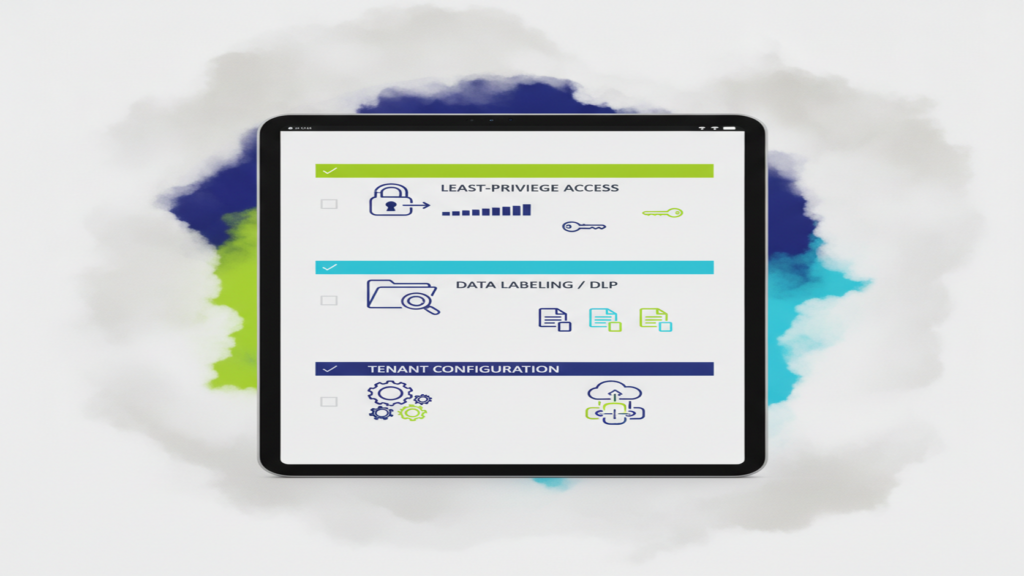
The Data-Governance Groundwork That Makes AI Safe to Adopt
AI assistants like Microsoft 365 Copilot do not break into your data; they inherit whatever access the person asking already has. That single fact is why data governance, not the AI tool itself, determines whether your rollout is a productivity win or a privacy problem.
Most small and midsize businesses in Atlanta discover this the same way: someone in accounting asks Copilot a casual question about salary bands, and it answers, because an HR spreadsheet has been sitting in a SharePoint site with company-wide permissions since 2019. Nothing was hacked. Nothing was leaked externally. The AI simply surfaced something that was always technically available and never actually findable. That gap between “permitted” and “discoverable” is the whole problem, and closing it is unglamorous work: permissions cleanup, labeling, data loss prevention rules, and tenant configuration.
This article is a readiness checklist. Work through it before you buy licenses, not after.
Why AI Changes the Permissions Math
For twenty years, bad permissions were survivable because search was bad. Files buried in a shared drive five folders deep were functionally invisible unless you knew the path. Over-permissioning was a latent risk, not an active one.
Semantic search and AI assistants remove that protection. Copilot does not need you to know the folder name or the file name. It reads natural-language intent, searches everything the user is entitled to see, and synthesizes an answer. Permissions that were theoretically too broad become practically too broad overnight.
This is not a reason to avoid AI for small business operations. It is a reason to treat a Copilot deployment as a trigger to do the access cleanup you have been deferring. The work has standalone security value: tighter permissions reduce the blast radius of a compromised account whether or not you ever enable an AI assistant.
Step One: Least-Privilege Access and Permissions Cleanup
Least privilege means each person can reach only what their role requires. Easy to say, tedious to implement, and the single highest-value item on this list.
Start with a discovery pass:
- Find “Everyone” and “All Company” grants. In Microsoft 365, SharePoint sites and Teams files shared with the entire organization are the most common source of surprise exposure. Inventory them and ask, for each one, whether company-wide access was an intentional decision or a convenience shortcut.
- Audit anonymous and “anyone with the link” sharing. These links often outlive the project that created them. Set an expiration policy for new links and review the standing ones.
- Review orphaned sites and inactive Teams. Departed employees, finished projects, and merged departments leave behind repositories nobody owns and nobody has reviewed.
- Check group nesting. A user added to one distribution group can inherit access through three layers of nested groups. Map it before you assume it.
- Separate admin accounts from daily-use accounts. Admins who browse email and the web with privileged credentials are a standing risk, AI or not.
For a 75-person professional services firm, a first-pass permissions review typically takes a few focused weeks, with the bulk of the time spent on judgment calls rather than clicks: deciding who actually needs the partner-level financial folder, or whether the old client archive should be restricted to the originating team.
A practical shortcut: prioritize by sensitivity, not volume. Payroll and HR, client financials, legal matters under privilege, patient records, bid and estimate files, and intellectual property first. The marketing asset library can wait.
Step Two: Sensitivity Labeling That People Will Actually Use
Labels classify content so downstream controls know how to treat it. In Microsoft 365, sensitivity labels can apply encryption, restrict copying or forwarding, and mark documents visually. Critically, labels also feed AI governance: a properly labeled and encrypted document can be excluded from assistant responses for users who lack rights.
The failure mode here is overdesign. Organizations build twelve labels with elaborate sublabels, roll them out with a training deck, and watch adoption collapse because nobody can remember whether a draft engagement letter is “Confidential–Internal” or “Restricted–Client.”
Three or four labels is usually right:
- Public — marketing material, published content
- Internal — general business information, default for most files
- Confidential — client data, financials, HR records, contracts
- Restricted — the small set requiring encryption and tight access (patient records, privileged legal work, CMMC-controlled technical data)
Combine manual labeling with automatic classification where patterns are reliable: documents containing Social Security numbers, credit card numbers, patient identifiers, or specific project codes can be auto-labeled. Set a default label so unlabeled content is not silently treated as open.
Expect the labeling taxonomy itself to take a few workshops with department leads. Expect rollout and user habit-building to take a quarter. That is normal.
Step Three: DLP Rules Tuned to Your Vertical
Data loss prevention policies watch for sensitive content leaving places it should not and either warn the user, block the action, or alert IT. DLP matters more once AI enters the picture, because the risk is not only outbound email now; it is content pasted into public AI tools, summaries forwarded outside the tenant, and generated documents inheriting sensitive source material.
What to configure depends on your vertical:
- Medical and dental practices need DLP covering PHI in email and file shares, plus clear boundaries on which AI tools are covered by a Business Associate Agreement. Consumer-grade chatbots are not. See our work with healthcare practices for how this typically gets scoped.
- Law firms need rules protecting matter-specific content and attorney-client privileged material, with attention to ethical walls between matters. An AI assistant that can read across every matter file is a conflicts problem waiting to happen.
- Manufacturers pursuing CMMC need controlled unclassified information tightly scoped, with evidence that AI services do not process it outside the authorized boundary.
- Construction firms care about bid data, subcontractor pricing, and project financials, which are usually scattered across Teams channels and email attachments.
- Professional services and finance firms need client financial data, PII, and anything touching GLBA or SEC obligations handled under explicit rules.
Start DLP policies in audit-only mode. Run them for a few weeks, see what fires, tune out the false positives, then switch to enforcement. Policies that block legitimate work get disabled by frustrated managers within a month.
Step Four: Tenant Configuration and Shadow-AI Controls
Tenant-level settings determine what your AI tools can and cannot do. Review these before licensing:
- Restricted SharePoint Search. Microsoft provides a way to limit Copilot’s reach to an approved set of sites while you complete permissions remediation. This is a useful bridge, not a permanent fix.
- Data residency and retention. Know where prompts and responses are stored, how long, and who can access the audit logs.
- Web grounding. Decide whether assistants may pull from the open internet when answering, and document the decision.
- Conditional access and MFA. AI access should sit behind the same identity controls as everything else. Our cybersecurity services page covers the identity baseline in more detail.
- Audit logging. Confirm that AI interactions are logged and retained long enough to satisfy your compliance obligations.
Then address shadow AI. Employees are already using free chatbots for meeting notes, client emails, and spreadsheet formulas. A discovery pass through your network and endpoint telemetry will show which services are in use and how heavily. Pair the findings with a short, readable AI policy that names approved tools, prohibits pasting client or regulated data into unapproved services, and explains the reasoning. Policies that explain the “why” get followed; policies that only prohibit get ignored.
One encouraging note: a manufacturing client of ours had a significant volume of controlled project data at risk of being pasted into unapproved AI services. Our DLP tuning and endpoint monitoring surfaced the usage pattern within the first week of deployment, before any regulated content left the tenant. The projected cost of a CMMC compliance finding for a firm that size would have been substantial in remediation hours and lost contract eligibility alone.
A Realistic Sequence and Timeline
For a 50 to 200 person business, a sensible order looks like this:
- Weeks 1–3: Permissions discovery and inventory of oversharing. Shadow-AI discovery runs in parallel.
- Weeks 3–8: Remediate the highest-sensitivity permissions issues. Draft the label taxonomy.
- Weeks 6–10: Deploy labels, run DLP in audit mode, publish the AI acceptable-use policy.
- Weeks 10–14: Enforce DLP, configure tenant settings, pilot Copilot with one department.
- Ongoing: Quarterly access reviews, label accuracy spot checks, policy refresh.
You do not need all of it perfect before a pilot. You do need the sensitive-data perimeter solid before broad rollout.
Where to Start
If you are evaluating Microsoft Copilot or any AI assistant and are not certain what your current permissions actually expose, that uncertainty is the thing to resolve first. Century Solutions Group runs an AI readiness assessment for Atlanta-area businesses that covers permissions exposure, shadow-AI usage, labeling readiness, and tenant configuration, and produces a prioritized remediation list with effort estimates.
Schedule a short discovery call through our contact page. Bring your questions about ai security, ai data privacy, and compliance obligations in your vertical. We will tell you honestly whether you are ready, what the gap looks like, and what it takes to close it.